
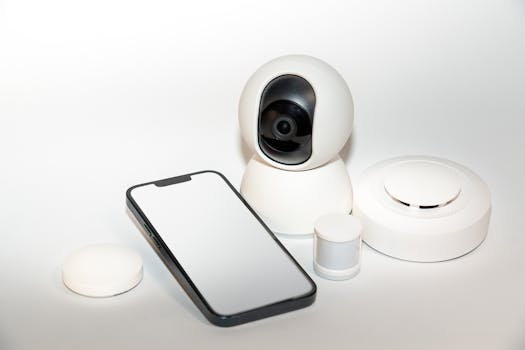
For anyone eager to simplify routine tasks, new technologies are making daily living more seamless and interactive. This year’s smart home advancements bring both convenience and security to the forefront.
Growing adoption of interconnected tech means more households are exploring smart home options. Upgrading your space can save time, cut utility costs, and boost comfort, all within reach.
Explore the latest must-have smart home devices, detailed scenario tips, and practical checklists you’ll use again and again. Let’s find the right upgrades to transform your home experience.
Choose Devices That Automate Your Routine Without Hassle
Pick smart home products that blend into daily habits: look for devices you’ll use by instinct, not just when you remember. Automation is effective when it feels natural and unobtrusive.
A strong Wi-Fi signal and a compatible ecosystem make set up quick. If your phone prompts, “Connect smart thermostat now?” follow the on-screen flow to sync. Routine automation begins immediately.
Seamless Device Pairing: Say It, Scan It, Use It
Pairing starts with a clear voice command or a QR scan. For example, say “Alexa, add my new lamp” or open your camera and hold it over the code.
When a green check flashes, your new smart home device is ready. Imagine a friend remarks, “Wow, that just worked,” and your new routine launches as easily as flipping a light switch.
Next, test a feature immediately. For a smart plug, plug in a coffee maker, set a wake-up routine, and smile as fresh coffee greets you—no fuss, no confusion, just modern convenience.
Everyday Automation: Scheduling and Scripting in Practice
Open your app, tap “Schedule,” and set your lights to fade out at bedtime. These small steps add up to a more relaxing evening, without changing your habits.
Set thermostats to drop a degree overnight. You’ll wake up refreshed in a comfortable home, with energy costs trimmed automatically by your smart home system.
Create a “Goodbye” scene. Double-tap the door sensor, see every light power off, and know your house is secure. Smart tech can look after details when you’re in a rush.
| Device Type | Primary Function | Automation Example | Takeaway |
|---|---|---|---|
| Smart Light Bulb | Lighting control | Auto-dims evenings | Set mood or save energy |
| Smart Plug | Appliance scheduling | Schedules coffee | Eliminate morning steps |
| Thermostat | Climate regulation | Nighttime temperature drop | Comfort and cost-savings |
| Smart Lock | Access control | Auto-unlock for family | No lost keys or lock-outs |
| Motion Sensor | Activity detection | Triggers hallway lights | Navigate safely at night |
Boost Security With Smart Cameras and Entry Monitors
Using smart home security gives you real-time peace of mind and actionable alerts. Set up cameras and entry sensors for instant notifications when unusual activity occurs.
Night vision, mobile-accessible video, and cloud storage provide thorough protection. You might say, “Show me the backyard camera,” and your phone’s screen instantly streams the live feed.
Setting Up Entry Alerts for Hands-Free Awareness
Install a door sensor by peeling its backing and pressing it to your frame. When someone enters, a tone or phone notification confirms the action right away.
Create a rule: “If garage opens between 10pm–6am, send alert.” This scenario turns a ‘what if’ into certainty, protecting your smart home from surprises every night.
- Mount outdoor cameras above doorways; monitor comings and goings without constant checking; rely on mobile notifications to give timely security updates, not stress.
- Connect your doorbell camera to your voice assistant; answer, “Who’s there?” — then view the doorstep, even if you’re at work or away, for added confidence.
- Place window sensors in vulnerable spots; receive instant alerts if windows open unexpectedly, making your response time fast and decision-making sharper in key moments.
- Integrate alarm sirens with entry sensors; deter intruders when a breach happens, knowing the device will react without your intervention, keeping you informed but never overwhelmed.
- Enable two-way audio to communicate quickly with visitors at the door, whether to welcome guests or turn away unwanted solicitors with a simple “Leave the package, please.”
Try setting a nightly arming routine; voice command: “Arm home mode.” Watch as your system takes charge of security while your mind rests easy, every single night.
Integrate Smart Locks for Convenient, Secure Access Control
Smart locks let you assign temporary codes. When a guest arrives, text a code saying, “Enter with 2417.” Their body language relays relief—no keys, no confusion, just in.
Pair your smart lock with your phone’s location. As you approach, the deadbolt slides open. If a friend says, “That felt like magic,” it’s simply the convenience of smart home automation.
- Create unique codes for each household member. This builds clear activity logs, so you know who entered at all times using your app — and it’s easy to reset if you need to.
- Set up auto-lock timers after five minutes; never wonder if you forgot the door. This habit saves time and prevents unnecessary trips back home for peace of mind.
- Link locks to security scenes; lock down all entry points with a “Goodnight” command, so your smart home feels reliably secure as you head to bed.
- Connect your lock to other devices—turn on entryway lights when the door opens so you’re greeted by both safety and comfort during every arrival.
- Choose models with app notifications; receive real-time alerts if someone tries to force open a door, giving you prompt information and the option to act immediately from anywhere.
Add locks to a shared group in the app; maintain control over who gets in, with options to enable or disable access instantly. Smart home tech keeps everyone on the same page.
Customize Lighting to Match Every Moment and Mood
Well-designed smart lighting does more than brighten rooms. It supports productivity, builds ambiance, and saves money when used strategically at home throughout the week.
Scene Settings for Productive Days and Cozy Nights
Program lights to adjust automatically for remote work or relaxing evenings. Say, “Start work mode,” and overheads brighten—a sharp signal your smart home is ready for focus.
In the evening, try “Movie time.” The lights dim, floor lamps warm, and a familiar glow sets the mood. Tailor each scene as your routine evolves, using presets or custom schedules.
Consider adding motion-activated lights in closets or hallways. When hands are full or movement is detected, your path is illuminated instantly, reducing effort and maximizing safety for family members of all ages.
Incorporate Voice Control for Everyday Ease
Use voice to control fixtures hands-free: say, “Turn on kitchen lights,” while preparing a meal. As tallying groceries, notice the convenience—no greasy switches, just spoken instructions with immediate effect.
Create light zones for groups of rooms—bedrooms, bathrooms, hallways—letting you say, “Turn off upstairs lights.” Whether heading to bed or leaving for work, streamlined commands simplify daily routines.
If your phone’s in another room, set up wall-switch shortcuts so everyone—kids, guests, or visiting relatives—can use the smart home lighting system without any technical learning curve or frustration.
Summing Up Your Smart Home Upgrade Choices
Upgrading with smart home devices delivers useful automations, improved safety, and more comfort with each personalized system you implement. Small steps create a house that responds intuitively to your needs.
Strategic selections—from entry sensors to programmable lighting—support real peace of mind. Adopting a few core smart home products can transform daily routines with minimal effort and lasting impact.
Move forward thoughtfully: choose devices that blend into your lifestyle, streamline repetitive tasks, and help your home work for you. Smart home technology is about living better, one upgrade at a time.