
Data breaches have become routine events, shifting how we measure trust in authentication. Security methods that worked flawlessly just a few years ago now show visible cracks and limitations today.
This article walks you through practical risks, pitfalls, and advanced approaches to authentication. Dive in for real actions and specific tips to help keep your accounts secure.
Identifying Weaknesses in Two-Factor Authentication (2FA)
Spotting where two-factor authentication falls short lets you take targeted steps to improve your own security. Real attackers bypass more 2FA systems every year.
The illusion of safety sets in as users see that familiar prompt. Yet, attackers use creative tricks and emerging tools to break through these authentication barriers.
Email-Based Scams Exploiting 2FA Users
Phishing emails lure people into fake login pages. The attacker sends a convincing message, and users type both passwords and 2FA codes, surrendering their credentials unknowingly.
Reading the sender’s address and checking links before clicking will reduce these phishing attacks. Train your eye for lookalike websites that aim to collect authentication codes.
Copy this action: Always verify website URLs manually when asked to enter authentication tokens on unexpected login screens. This stops many attacks in real time.
SIM Swapping Attacks and Social Engineering
Fraudsters convince mobile carriers to transfer your phone number to their device. Suddenly, authentication texts land in criminal hands, bypassing SMS verification instantly.
Ask your carrier for extra security questions and disable remote number transfers. Tell support, “Lock my account: approve transfers only in-store with an ID and passcode.”
Enabling carrier-specific PINs lowers the odds of a successful swap. Combine this with app-based authentication to create extra resistance to phone-based attacks.
| Risk Type | How Breach Occurs | Warning Sign | Recommended Action |
|---|---|---|---|
| Phishing | Fake site mimics login | Unexpected login request | Double-check URLs before typing codes |
| SIM Swapping | Number ported illegally | Phone loses service | Set up a unique carrier PIN |
| Password Reuse | Same password in breaches | Credentials show up in leaks | Use a password manager to randomize |
| Malware | Code intercepts auth tokens | Unusual device activity | Run trusted antivirus regularly |
| Session Hijacking | Main session stolen | Unfamiliar device log-in | Monitor for new device activity |
Fighting Modern Threats That Target Authentication Codes
Recognizing where attack methods have changed can make your authentication practices more resilient. Take charge with layers that block new attack paths right from the start.
Online criminals now work at scale, automating the theft of authentication tokens and intercepting codes through previously trusted channels, sidestepping typical alerts or protection layers.
Push Notification Overload
Attackers trigger constant push requests, hoping you approve by accident. Avoid blindly tapping “Allow” for multiple authentication prompts in a row—check your activity first.
Turn off push authentication where you can and choose device-based code apps that require you to launch and check codes actively every login.
- Reject push notifications from unknown or suspicious sources; accidental taps grant attackers instant access, especially during work rushes or mobile distractions.
- Enable device-based authenticator apps rather than SMS texts; this requires local device presence and offers less remote exploitable access.
- Verify all unfamiliar login alerts carefully by logging in directly, not through any notification or email-generated link, which can be forged or harvested.
- Install updates on authentication apps and devices to ensure protection; lagging versions sometimes lack newer fraud resistance or bug fixes.
- Set notifications for new logins on all accounts, so you’re informed if someone authenticates without your knowledge using stolen tokens or codes.
Engage these steps for hands-on improvement of authentication code security, not just theoretical protection in headlines.
Browser Interception Tactics
Browser extensions or malware can intercept codes you enter, silently copying them to attackers. Prefer hardware keys for authentication, keeping secrets off your main device.
Disable unused browser extensions, and run your authentication logins in private or incognito modes to reduce the risk of hidden code capture scripts intercepting tokens.
- Review and remove excess browser extensions or plugins, keeping only trusted tools to lower attack surfaces for authentication token theft.
- Log out of shared computers and private browser sessions after authentication; don’t store codes or approval prompts for later use, which can leave traces.
- Use browser-integrated security features, like fingerprint or PIN unlocks, to restrict code access and block background scripts during sensitive entries.
- Enable endpoint protection and malware scanning regularly, hunting for any malicious code running alongside browser authentication sequences.
- Pair a dedicated device—like a mobile authenticator app—with your login process for sensitive accounts, avoiding browsers when entering 2FA codes if possible.
Follow this checklist to close off browser-based threats, moving authentication activity to hard-to-hack environments wherever possible.
Comparing Defense Layers in Multi-Factor Authentication
Stacking multiple authentication defenses doesn’t guarantee safety by default. Instead, each additional layer should add unique friction that blocks real attack techniques you recognize.
The era of simple two-step verification is shifting. Robust authentication now combines app codes, device recognition, biometrics, and hardware devices.
Device Recognition Usage in Authentication
Some systems learn your devices and ask for extra proof if a login appears from somewhere new. Think of it as a digital bouncer recognizing frequent visitors at the door.
Add all your regular devices to trusted lists, but review this access every few months. Remove any that look outdated or unfamiliar, especially if you’ve changed phones.
Keep actions specific: check account settings labeled “Trusted Devices” or “Device History” and clear anything you don’t recall using, cutting off lingering authentication risks.
Integrating Biometrics for Next-Level Security
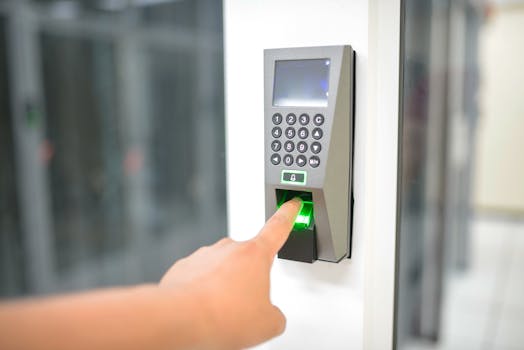
Fingerprint or facial scans block most remote attacks since they require physical presence. Enable biometric options for authentication wherever you see them offered.
Be ready to update your biometric data if you replace or lose a device, since old data may persist. Deleting unused device biometrics limits loss from theft or resale.
If a service supports hardware security keys with biometric unlocks, set up both for maximum security paired with convenience—no need to sacrifice speed for safety.
Tactics for Building Authentication Resilience
Develop habits that anticipate likely weaknesses in your authentication routines, reducing the fallout when mistakes or lapses inevitably happen in daily online life.
Even the best tools fail if attackers trick you directly. Rebuild response habits, audit account settings, and document action plans for recovering from authentication breaches quickly.
Audit Your Authentication Devices and Methods
Set reminders to review where your authentication tokens live—phones, authenticators, backup methods. Lost or unused devices should get unlinked from your accounts immediately.
Maintain a log of backup codes or alternative login methods somewhere other than your phone or computer. Store this securely, like printed and locked away, for emergencies.
Record a checklist: “Which phone, app, laptop, or key gives me access?” Update as soon as you swap devices, travel, or share device access with family or colleagues.
- Check authentication device inventory each quarter; helps prevent accidental orphan access when switching phones or retiring older devices and apps.
- Update account recovery details for all services; ensure correct email, phone, or backup contacts, blocking lockout if your primary authentication tool disappears.
- Rotate backup codes as soon as you use them; this avoids accidental reuse which creates new risks in case a backup list leaks or is stolen.
- Don’t share authentication devices for work or group projects; set up separate short-term codes or access for collaborators, with end-dates for added safety.
- Test recovery flows: Log in as if you’d lost your phone – do all the steps work? This builds muscle memory so you stay calm under real pressure to regain account control.
Make device and recovery audits part of routine digital hygiene, just as you would lock the door before leaving home each day.
Practical Steps to Upgrade Past Standard 2FA
Choosing the next step in authentication fightbacks means picking tools and habits that bring actual results. You don’t need to overhaul everything at once—target obvious gaps first.
App-based codes, physical security keys, and app-based authentication tokens lead the pack. Transitioning to new methods starts with the most critical accounts you value and use regularly.
- Move banking, email, and work accounts to app-based authentication or security key-first: These are your “crown jewels” worth the extra step for stronger defense.
- Research which email providers or password managers support advanced authentication; enable as many factors as you can for the top three accounts where identity theft is most harmful.
- Replace SMS authentication with app-based alternatives. Your phone’s number is exposed to SIM swapping, while once-use tokens in apps resist remote theft.
- Add security questions or passcodes where supported; always create answers not easily found on social media or public profiles. Lies work if you remember the truth.
- Pair new authentication options with regular device health checks. Any security feature is only as strong as the device running it, so keep your system clean and up to date.
Assign a calendar date each year—just like a birthday—when you’ll update authentication setups and review linked apps or backup options for fresh security.
Staying Adaptive in the Face of Evolving Attacks
Keeping up with authentication threats means embracing change as attackers adapt, too. Don’t get locked into a single “right” way; flexibility blocks more real-world breaches.
Read about new authentication features as apps announce them, whether rotating QR codes, number matching, or support for passkeys and biometrics. Don’t delay in enabling promising tools.
Testing New Authentication Features
Try new beta authentication releases on a test account first. Run through password resets, device approvals, and backup flows before rolling changes across your actual logins.
Never turn on a new authentication method for all accounts at once. Pick the least important account, then document exactly what works and what fails during the update.
Be proactive: Write an “if lost, try this next” list for authentication changes and keep it somewhere private. This stops last-minute panic and confusion when breaches occur.
Monitoring for Authentication Weak Points
Enabling login alerts or unfamiliar device notifications gives instant awareness, shortening the reaction window after attempted unauthorized access or stolen authentication codes.
Review access logs for anomalies such as access from new countries, strange login times, or multiple failed code attempts, even if you didn’t receive a data breach alert.
Contact support immediately if new devices or login attempts surface—say, “That wasn’t me,” and request a forced session logout while investigating authentication logs further.
Building a Sustainable Security Mindset
Two-factor authentication isn’t obsolete, but it’s not alone enough anymore. Combining modern tools, good habits, and personal vigilance keeps your digital profile much safer.
Effective authentication blends device security, unique backup plans, and readiness to change tactics as threats shift. Take incremental steps, even if you start small today.
The next breach will likely target something you thought was safe. Stay curious and adapt: upgrading authentication is an ongoing process, not a one-time fix.