

Looking for an alternative to the Kindle with more download options? Here we bring a good choice for your reading!Type your paragraph here
Technical Comparison
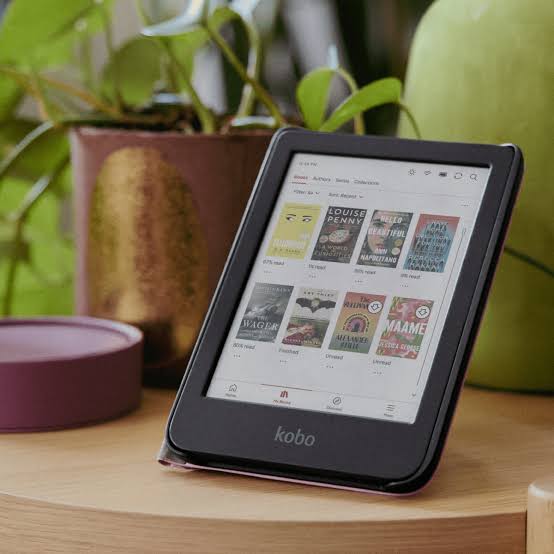
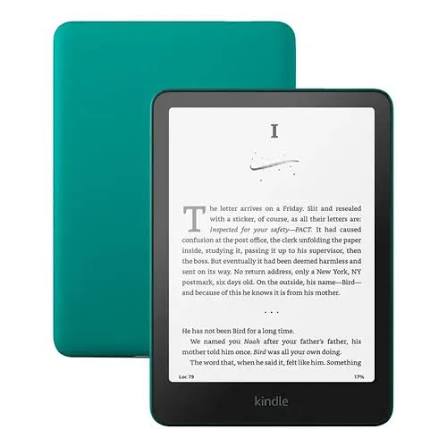
The Kindle Paperwhite uses an E Ink Carta display, while current Kobo Clara and Kobo Libra models use the newer E Ink Carta 1300 technology.Current Kindle Paperwhite models have screens measuring approximately 6.8 or 7 inches. Kobo offers the 6-inch Clara and the 7-inch Libra.Both devices provide a resolution of 300 pixels per inch, delivering sharp and comfortable text for long reading sessions.The Kindle Paperwhite features an adjustable LED front light with customizable color temperature. Kobo devices use ComfortLight PRO technology, which also allows users to adjust the screen temperature and reduce blue-light exposure.Both Kindle and Kobo models feature touchscreen displays.
However, the Kobo Libra also includes physical page-turn buttons, while the Kobo Clara and Kindle Paperwhite rely entirely on touchscreen controls.Both platforms offer IPX8 water resistance, making the devices suitable for reading near a swimming pool, at the beach, or in the bathtub.Kindle storage options generally include 8 GB, 16 GB, or 32 GB. Kobo models typically offer 16 GB or 32 GB of storage.Current Kindle and Kobo devices do not support storage expansion through a microSD card.Battery life on both platforms can last for several weeks under typical reading conditions.Both devices offer Wi-Fi connectivity and use USB-C ports for charging and file transfers.
Supported File Formats
File compatibility is one of the most important structural differences between Kindle and Kobo. Kobo natively supports EPUB files, the most widely used open e-book format. It also supports PDF, TXT, HTML, RTF, CBZ, and CBR files.
Some Kobo devices may also provide limited support for MOBI files.Kobo does not support Amazon’s proprietary AZW and AZW3 formats.KindleKindle primarily supports Amazon’s proprietary formats, including AZW, AZW3, and KFX.It also supports PDF, TXT, and HTML files. MOBI is considered a legacy format and is no longer the main format used within the Kindle ecosystem.Kindle does not support EPUB files directly on the device. However, EPUB files can be sent through Amazon’s “Send to Kindle” service, which automatically converts them into a compatible format .Kindle devices do not natively support CBZ or CBR comic-book files.
Technical Interpretation
Kobo is a more open platform for users who maintain personal libraries or prefer universal formats such as EPUB.Kindle is more dependent on the Amazon ecosystem. Although Amazon’s automatic conversion system makes it relatively easy to send EPUB files to a Kindle, users have less direct control over their files and library management.
Software and Reading Experience
Kindle by Amazon
The Kindle interface is extremely simple, stable, and optimized for uninterrupted reading.It provides strong integration with the Amazon Kindle Store, Kindle Unlimited, and Goodreads.One of Kindle’s main advantages is its reliable synchronization between devices. Books, reading progress, notes, and highlights can be synchronized across Kindle devices and Kindle applications.The Kindle ecosystem is mature, widely supported, and designed to minimize technical friction.Its main limitation is the greater dependence on Amazon for purchasing, storing, and managing books.
Kobo by Rakuten
Kobo offers a clean interface with more manual control over the user’s library.It integrates with the Kobo Store and, in supported markets, with OverDrive or Libby for borrowing e-books from public libraries.Kobo provides better management of local collections and greater flexibility for users who organize and transfer their own files.Its main practical limitation is that the Kobo Store is less dominant than Amazon’s e-book store in some markets.
Product Philosophy
KindleKindle follows the philosophy of allowing users to read without worrying about settings or file management.It is ideal for intensive readers of novels and nonfiction, Kindle Unlimited subscribers, and users who want a simple experience with almost no technical friction.KoboKobo focuses on reader control and freedom.It is ideal for users who already own a large EPUB library, technical or academic readers, people who carefully organize their files, and readers who value customization or physical page-turn buttons.
File Formats: The Most Decisive Difference
Kobo Offers More Options
Kobo natively supports a wide variety of formats, including:EPUB and EPUB3, PDF, TXT, HTML, RTF, CBZ, and CBR. MOBI support may also be available, although it can be limited.This flexibility allows users to purchase books outside the Kobo Store, download free public-domain works, transfer files from different sources, and organize a personal library without complicated conversion processes.
Kindle Offers a More Restricted Experience
Kindle primarily operates with formats from the Amazon ecosystem, including AZW, AZW3, and KFX.It also supports PDF, TXT, and HTML files.EPUB files are not opened directly as native files. They must normally be sent through the “Send to Kindle” service, which converts them into a Kindle-compatible format.This system works well for most readers, but it gives users less technical freedom and control over their original files.
Conclusion
Kindle is technically superior as a polished and closed ecosystem. It focuses entirely on smooth reading, simplicity, reliable synchronization, and integration with one of the world’s largest e-book stores.Kobo is technically superior in terms of format compatibility, library control, and ergonomics, particularly with models such as the Kobo Libra. It is better suited to advanced readers, users with personal EPUB libraries, and people who prefer to remain independent from the Amazon ecosystem.