
Looking for a Kindle for reading books, reviewing documents or taking handwritten notes?
The Amazon Kindle Scribe and Kindle Paperwhite belong to the same e-reader family, but they are designed for very different types of users.
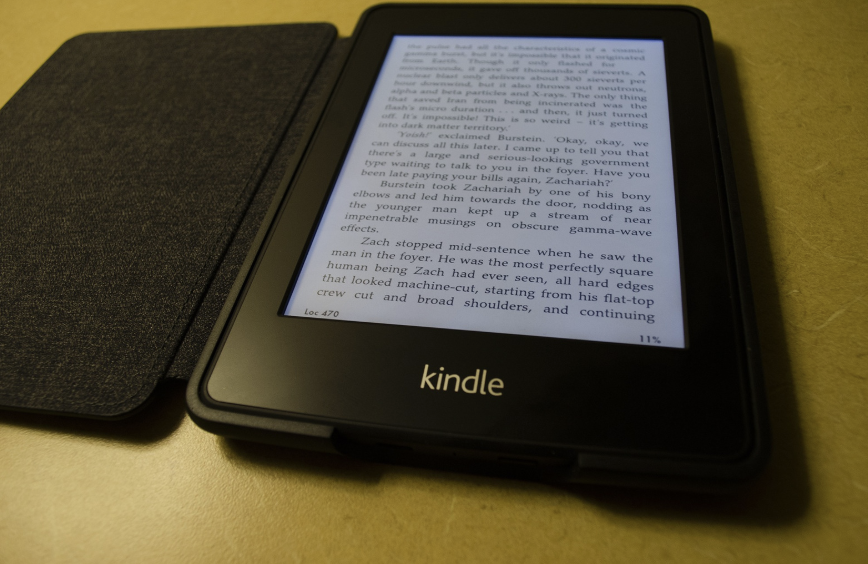
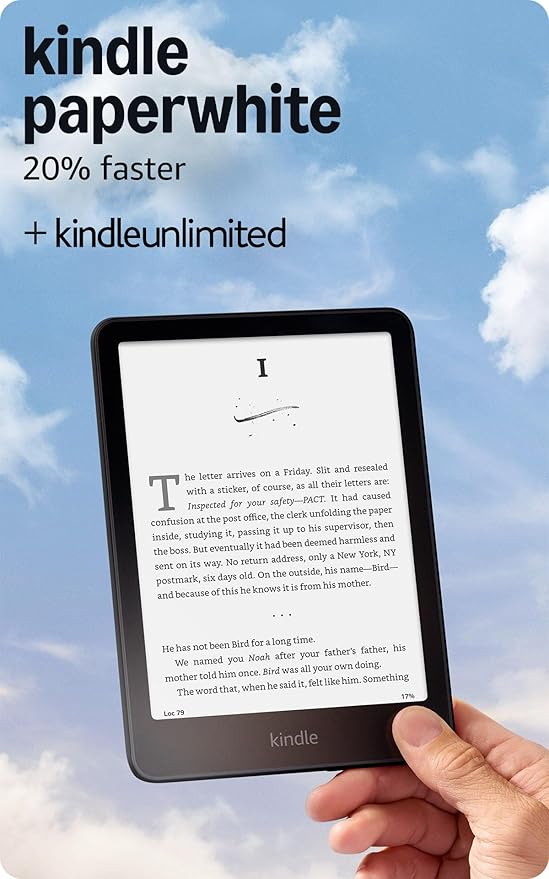
The Kindle Paperwhite is a compact, waterproof e-reader built primarily for comfortable everyday reading. It is lighter, easier to carry and considerably more affordable.
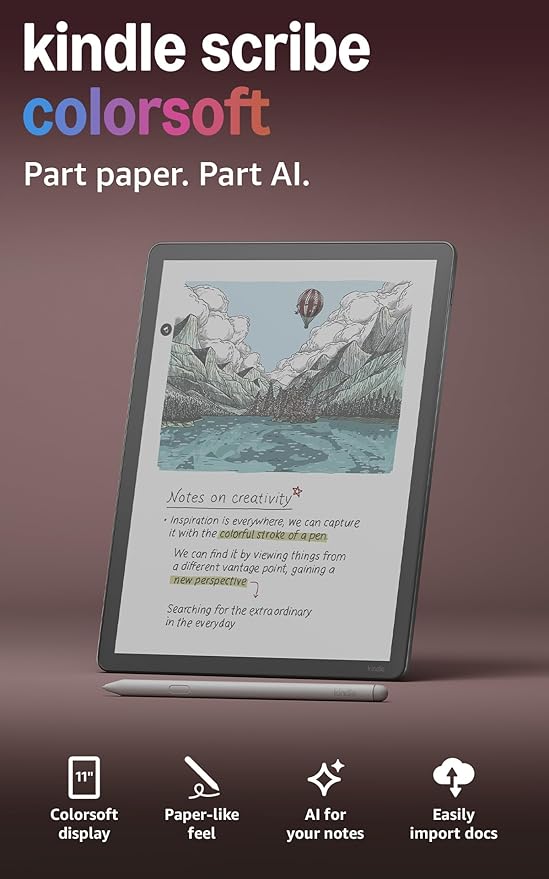
The Kindle Scribe combines a large Kindle display with a digital notebook. It includes a Premium Pen, supports handwritten notes and allows users to annotate compatible books, PDFs and documents.
How can you see the difference ?
The most important difference is that the Kindle Scribe is both an e-reader and a digital notebook, while the Kindle Paperwhite is designed almost entirely for reading.
The current Kindle Scribe has an 11-inch display and includes a Premium Pen that does not require charging. Users can create notebooks, write inside compatible books, annotate PDFs and work with documents imported from services such as Google Drive and Microsoft OneDrive.
The Kindle Paperwhite has a smaller 7-inch display and does not support handwriting or stylus input. Its main strengths are portability, water resistance and a comfortable reading experience.
Therefore, the Paperwhite is the better traditional e-reader, while the Scribe is the more versatile productivity device.
Display and Reading Experience
Both models use black-and-white Paperwhite display technology with a resolution of 300 pixels per inch. Text is sharp on both devices, and their glare-free E Ink screens are easier to read in direct sunlight than conventional tablet screens.
The Kindle Paperwhite has a 7-inch display. This size provides a good balance between readability and portability. It is large enough for novels and general nonfiction while remaining comfortable to hold with one hand.
The Kindle Scribe has a much larger 11-inch display. It can show more text on each page and is better suited to:
- Large documents
- Academic articles
- Technical books
- PDFs
- Sheet music
- Textbooks
- Documents containing charts or diagrams
- Readers who prefer larger font sizes
The larger screen can make reading more immersive, but it also makes the Scribe less comfortable to hold for extended periods, particularly when lying in bed or reading with one hand.
Best for a large reading surface: Kindle Scribe
Best for everyday reading comfort: Kindle Paperwhite
Handwriting and Note-Taking
The Kindle Scribe includes Amazon’s Premium Pen, which attaches magnetically to the device and does not require charging. The pen is included in the box together with replacement tips.
Users can create digital notebooks for:
- Meeting notes
- Class notes
- Journaling
- To-do lists
- Project planning
- Brainstorming
- Handwritten study summaries
- Sketches and diagrams
The Scribe’s textured screen is designed to provide more resistance than a traditional glass tablet, creating a writing sensation that feels closer to pen on paper. The redesigned model also has reduced parallax, making the digital ink appear closer to the pen tip.
The Kindle Paperwhite does not support a pen and cannot be used as a digital notebook. Readers can still highlight passages, type notes with the on-screen keyboard and use standard Kindle reading tools, but handwritten input is unavailable.
Writing winner: Kindle Scribe
PDFs and Documents
The Scribe is significantly better for PDFs because of its larger display and stylus support.
Users can write directly on many PDF documents, underline sections and add handwritten comments. The current Scribe also supports importing documents through Google Drive and Microsoft OneDrive and exporting annotated PDFs. Notes can also be exported to Microsoft OneNote as converted text or embedded images.
The Paperwhite can open supported PDF files, but the smaller screen often requires zooming and repositioning the page. It is acceptable for simple text-based documents but less practical for full-sized academic papers, forms, presentations and technical manuals.
Neither device provides the complete application flexibility of an iPad or Android tablet. However, the Scribe offers a much more focused document-reading and annotation experience without social media, notifications or entertainment applications.
PDF and document winner: Kindle Scribe
Notebook and Productivity Features
The current Kindle Scribe includes several productivity tools that are not available on the Paperwhite.
These include AI-powered notebook search, note summarization, handwriting refinement and Smart Shapes. The device can also share notes with compatible Alexa services and convert notebook content into tasks, reminders or calendar events. Some AI and Alexa features may depend on language, region, internet access or subscription requirements.
The Scribe is therefore useful for users who want a distraction-free alternative to a tablet for reading, planning and note-taking.However, its productivity system remains more limited than platforms such as iPadOS, Android or Windows. It does not offer a complete app store, advanced spreadsheets, presentation software or full desktop-level document editing.
The Paperwhite does not attempt to replace a notebook. Its simpler interface is better for people who want to open a book and read without additional tools.
Productivity winner: Kindle Scribe
Storage Capacity
The standard Kindle Paperwhite includes 16 GB of internal storage, which is enough for thousands of conventional e-books.The current front-lit Kindle Scribe is available with 32 GB or 64 GB of storage. The additional capacity is useful because notebooks, PDFs, documents and audiobooks can require more space than ordinary Kindle books.
For readers who mainly download novels, the Paperwhite’s 16 GB capacity should be sufficient.The Scribe’s larger storage options are more useful for users who maintain:
Extensive PDF libraries;Academic documents;Multiple notebooks; Audiobooks; Illustrated books; Technical manuals and Large personal-document collections.
Storage winner: Kindle Scribe
One-Handed Reading and Connectivity
The Paperwhite is considerably easier to hold with one hand because of its smaller dimensions and lower weight.
It is particularly convenient for novels, where readers frequently hold the device for long periods without needing to interact with the screen beyond turning pages. The Scribe’s 11-inch format provides a better view, but it can become tiring when held without support. Many owners may prefer using it with a folio case, stand or desk surface.
For users who read primarily for relaxation, the Paperwhite is likely to feel more natural.
One-handed reading winner: Kindle Paperwhite
Audiobooks and Connectivity
Both devices support Wi-Fi connectivity and Audible audiobooks through compatible Bluetooth headphones or speakers. Neither model includes a traditional headphone port or built-in speaker intended for audiobook playback.
Audiobook availability and Audible integration may vary by region. Both devices also provide access to the Kindle Store, Kindle Unlimited and eligible Prime Reading titles, depending on the user’s account and country. In terms of basic Kindle library access, there is no major difference between them.
Connectivity winner: Tie
Which One Should You Buy?
Choose the Amazon Kindle Paperwhite if you want:A device primarily for reading books; Better portability; Comfortable one-handed use; A lower purchase price; IPX8 water resistance; A 7-inch glare-free display; Adjustable warm light; Up to 12 weeks of battery life; A device for reading in bed or A Kindle for vacations and daily commuting 16 GB of storage for thousands of books.
Choose the Amazon Kindle Scribe if you want: An e-reader and digital notebook in one device; A large 11-inch display; A Premium Pen included; Handwritten notebooks; The ability to annotate PDFs; Handwriting inside compatible Kindle booksBetter viewing of academic and technical documents; Google Drive and Microsoft OneDrive integration; 32 GB or 64 GB of storage; Note organization and AI-powered notebook tools. A distraction-free device for study and professional work
Final Verdict
The Kindle Paperwhite is the better e-reader for most people. It is lighter, more portable, waterproof and easier to hold during long reading sessions. It offers the same 300-ppi text resolution and similar advertised reading battery life at a substantially lower price. The Kindle Scribe is the better device for students, professionals and active note-takers. Its larger display, included Premium Pen and document-annotation features, makes it much more versatile than a traditional Kindle.
The final decision depends on what you intend to do with the device. Choose the Kindle Paperwhite when reading is your main priority.
Choose the Kindle Scribe when you want to read, write, study and review documents on the same distraction-free device.